
 TURN & FEEL
A Clicky Dial You Turn With a Finger
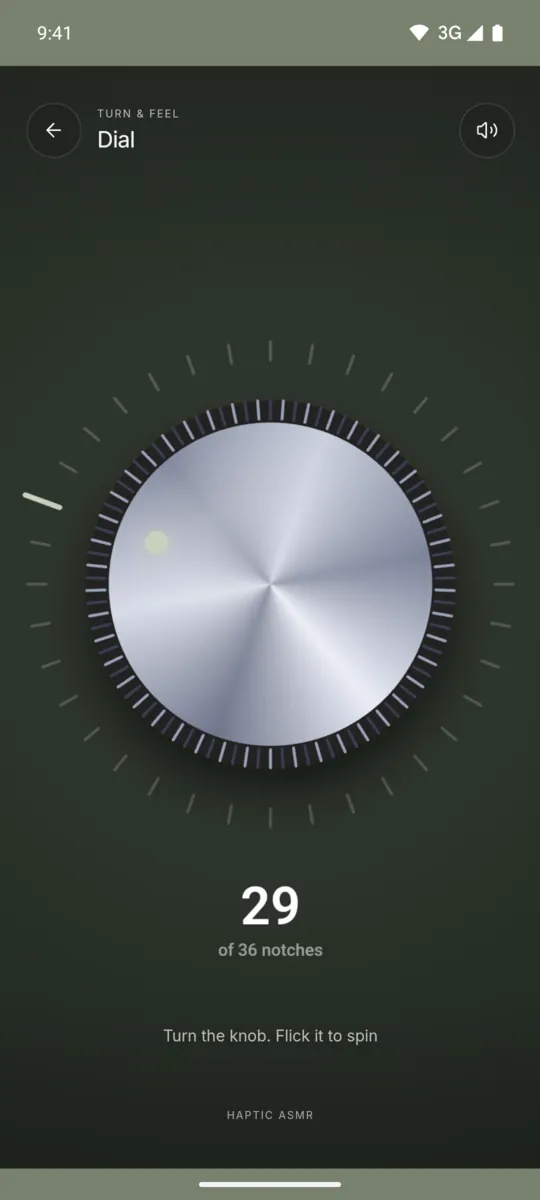
Dial is a heavy knob with 36 notches. Turn it slowly for single clicks, or flick it and let it spin down.

Android app. No account. No ads. Works offline.
What it is
Dial is one of the 52 feels in Haptic ASMR. It shows a heavy metal knob on a dark background. One full turn has 36 notches. Each notch gives one short click that you hear and feel.
When you flick the knob, it continues to spin after you lift your finger. It slows down gradually, and the clicks come further apart. When it stops, it settles into the nearest notch. It is a digital simulation of a rotary knob, not a physical toy.
How to use it
- Open Haptic ASMR and select Dial.
- Put your finger on the screen near the knob.
- Move your finger in a circle to turn the knob.
- Flick your finger to make the knob spin.
- Wait for the knob to stop on a notch.
What you feel
Each notch gives one short vibration pulse. During a spin, the pulses come slower as the knob loses speed.
What you hear
A short, high click plays on each notch. The pitch changes a little from one click to the next.
When to use it
- During a phone call where you only listen.
- While you wait for a download to finish.
- Between two tasks, as a short pause.
Questions
Is there a clicky knob fidget app for Android?
Yes. Haptic ASMR has a Dial feel with a knob that clicks on each of its 36 notches. The phone vibrates with each click.
Can I spin the dial without holding it?
Yes. Flick the knob and lift your finger. The knob spins on its own and slows down until it stops on a notch.
More feels like Dial
See all 52 feels

DIAL AND 51 MORE
Feel it on your phone.
The haptics work on your phone. The website shows the app only.