
 DRAG & FEEL
Sand you trace with one finger
Draw grooves in a tray of digital kinetic sand. The phone gives small grain ticks and a soft hiss while your finger moves.

Android app. No account. No ads. Works offline.
What it is
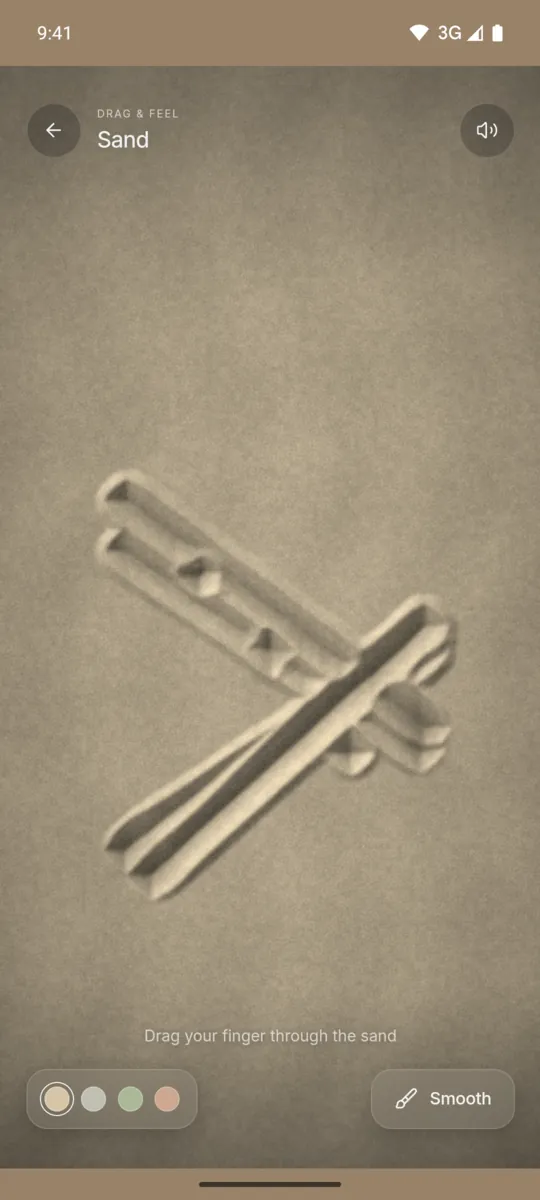
Sand is a tray of fine sand that you shape with your finger. Each stroke carves a groove and pushes the sand into ridges at the sides. Then the ridges slump a little until they are stable, as kinetic sand does.
You can choose from four sand colours: Dune, Stone, Sage and Clay. When the tray is full of marks, tap Smooth. A sweep levels the sand again so that you can start a new pattern.
How to use it
- Open Haptic ASMR and tap Sand.
- Drag one finger slowly through the sand.
- Drag faster to make the ticks and the hiss stronger.
- Tap a colour dot to change the sand colour.
- Tap Smooth to level the tray.
What you feel
The phone gives fine, grainy ticks while your finger moves. The ticks come faster when you drag faster.
What you hear
A soft hiss of sand follows your finger. It gets louder with speed and stops when you stop.
When to use it
- While you wait for a call to start.
- During a short break at your desk.
- Before you read or write something long.
Questions
Is this like kinetic sand ASMR videos?
Yes, but you make the marks yourself. Your finger carves grooves and the sand settles into ridges beside them. It is a digital simulation, not real sand.
Can I clear the sand and start again?
Yes. Tap Smooth and the app levels the whole tray. You can also pick another sand colour at any time.
More feels like Sand
See all 52 feels

SAND AND 51 MORE
Feel it on your phone.
The haptics work on your phone. The website shows the app only.