
 PEEL & FEEL
Sticker Peel: Screen Film
Pull the blue tab and peel the glossy factory film off a new phone screen.

Android app. No account. No ads. Works offline.
What it is
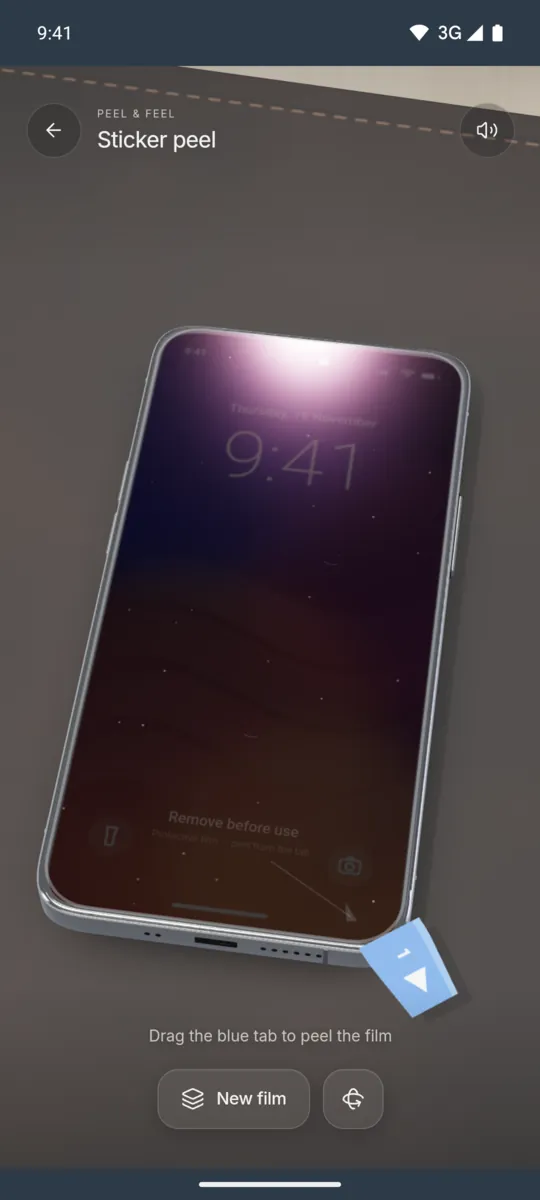
This feel copies the moment you peel the protective film off a new phone. The film has a blue pull tab on one corner. It curls back along the peel line as you drag.
The crackle gets faster when you pull faster. If you let go halfway, the film springs back and slowly sticks down again, with small air bubbles under it. Peel it all the way off to see a clean, glossy screen.
How to use it
- Open Sticker peel in Haptic ASMR.
- Put your finger on the blue tab.
- Drag the tab across the screen to peel the film.
- Keep pulling until the film comes off.
- Tap New film to put a new film on.
What you feel
Light, fast pulses follow the adhesive as it lets go. A longer pattern marks the moment the film comes off.
What you hear
You hear a dry micro crackle that speeds up with your pull. The film ends with a crisp tearing zip, and a tap on the bare glass gives a clean tick.
When to use it
- When you like the feel of peeling film.
- During a short break on the train.
- While you wait for a call to start.
Questions
What happens if I stop peeling halfway?
The film springs back toward the glass and slowly sticks down again. It traps small air bubbles, like a real film.
Is this a real screen protector?
No. It is a digital simulation in the app. It does not change your real phone screen.
More feels like Sticker peel
See all 52 feels
STICKER PEEL AND 51 MORE
Feel it on your phone.
The haptics work on your phone. The website shows the app only.